Digital Literacy Routines: Safer Tech in 7 Days

Digital literacy for everyday life: small routines that make tech feel easier
Digital literacy is less about “being good with computers” and more about building dependable habits: finding trustworthy information, protecting accounts, communicating clearly, and fixing common issues without panic. When these routines are in place, daily tasks—paying a bill, helping a student with homework, joining a work call, or sharing photos—become smoother and safer.
What digital literacy looks like in daily routines
Practical digital literacy shows up in the decisions made each day, often in small ways that add up:
- Using devices and apps intentionally: choosing the right tool for the job (browser vs. email vs. messaging vs. shared cloud docs).
- Managing information: searching efficiently, checking sources, and saving files so they can be found later.
- Staying safe: spotting scams, protecting accounts, and adjusting privacy settings.
- Communicating well: writing clear messages, respecting boundaries, and reducing misunderstandings.
- Solving small problems: trying a few troubleshooting steps before escalating.
A useful mindset is to treat digital skills like home maintenance: a little prevention (updates, backups, and account security) avoids big cleanups later.
Core skills that unlock confidence
Account basics: passwords, a password manager, and MFA
Start with the accounts that protect the most: email (often the “master key”), banking, shopping, and social media. Use strong, unique passwords and store them in a reputable password manager. Then turn on multi-factor authentication (MFA) so a password alone isn’t enough to get in.
File and cloud basics: name, save, share
Confident file handling comes down to consistency:
- Name files so the purpose is obvious (example: “2026-05_Tax-Documents_W2.pdf”).
- Use a small folder system (Documents, School, Work, Photos) instead of saving everything to the desktop.
- When sharing, choose the right permission—view vs. edit—and double-check who can access the link.
- Know where downloads go (and clean that folder periodically).
Browser basics: tabs, bookmarks, and URL checks
Browsers are where many scams and mistakes happen. Learn to manage tabs and bookmarks, and make URL checking automatic—especially before signing in or paying. Private browsing is useful on shared devices, and clearing cache can solve stubborn loading issues.
App hygiene: updates and permissions
App hygiene keeps devices fast and reduces risk. Update apps and the operating system, uninstall unused or suspicious apps, and review permissions (location, contacts, photos, microphone). Many apps request more access than they truly need.
Accessibility and efficiency features
Built-in tools make tech easier for everyone: voice typing, text size, screen readers, keyboard shortcuts, and focus modes. Even small changes—larger text, fewer notifications, or dark mode—can reduce fatigue and errors.
Safe internet use: simple habits that prevent big problems
- Spotting scams: watch for urgency, threats, gift card/crypto payment requests, mismatched sender addresses, and links that don’t match the displayed text.
- Safer clicking: hover to preview links on desktop; on mobile, long-press to preview when available. Avoid unexpected attachments.
- Privacy basics: limit what’s public on social profiles, review ad settings, and remember that “free” services often monetize data.
- Secure connections: prefer HTTPS sites, avoid sensitive logins on public Wi‑Fi, and consider a trusted VPN when traveling.
- Device protection: turn on automatic updates, use screen locks, and back up important files using a simple 3-2-1 habit (3 copies, 2 media types, 1 offsite).
For deeper, plain-language guidance on phishing red flags and what to do next, the Federal Trade Commission’s phishing guidance is a strong starting point. For backups, the NIST overview of backup and recovery explains why redundancy matters.
Online communication etiquette that reduces friction
Digital confidence also includes writing and responding in ways that keep relationships intact.
Digital competence checklist: assess skills and pick the next step
Everyday digital competence checklist
| Skill area | Can do independently | Needs practice | Quick win to try this week |
|---|---|---|---|
| Passwords & MFA | □ | □ | Enable multi-factor authentication on primary email |
| Scam & phishing awareness | □ | □ | Verify a sender by contacting them through a known official method |
| Files & cloud sharing | □ | □ | Create a folder system and rename 10 recent files clearly |
| Browser & search skills | □ | □ | Bookmark key sites and learn two advanced search operators |
| Privacy settings | □ | □ | Review app permissions and remove location access where unnecessary |
| Online communication | □ | □ | Write one concise email with a clear subject, bullet points, and next steps |
| Backups & updates | □ | □ | Turn on automatic updates and confirm a backup runs successfully |
A simple 7-day plan to build momentum
Tools that make learning easier (and safer)
Guided resources for households, schools, and busy schedules
- Digital Literacy for Everyday Life: Digital Skills Guide PDF and competence checklist for security, communication routines, and confidence-building checklists.
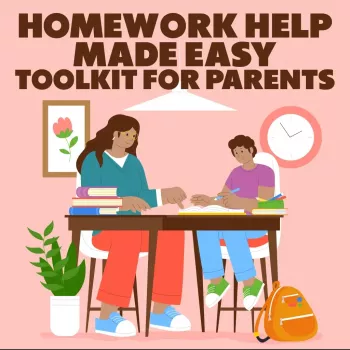
- Homework Help Made Easy Toolkit for Parents for families who want calmer, more independent study habits alongside smarter tech use.
FAQ
What are the most important digital skills to learn first?
Start with account security (strong, unique passwords plus multi-factor authentication), scam/phishing awareness, and backups. After that, focus on file organization and a few communication habits that reduce misunderstandings.
How can phishing messages be recognized quickly?
Look for urgency, unusual payment requests, mismatched sender domains, unexpected attachments, and links that don’t match the real destination. When unsure, verify by contacting the organization using a trusted method (like a known official website or phone number).
What’s a simple way to build tech confidence without feeling overwhelmed?
Use a short checklist and practice one skill at a time in 10–15 minute sessions. Repeat weekly and track what can be done independently, then add the next small skill.










Leave a comment